PyPlain: Macro Backend Server
PyPlain is a lightweight, dependency-free Python web framework designed for rapid development of simple server applications and calculation services. Built entirely using Python's standard library, PyPlain eliminates the complexity and overhead of traditional web frameworks while providing essential HTTP server functionality through an intuitive decorator-based routing system.
The framework prioritizes simplicity, readability, and minimalism, making it ideal for educational purposes, prototyping, microservices, and applications that require server-side logic without the burden of database connections or heavy dependencies.
Motivation and Design Philosophy
Why PyPlain Was Created
Modern web frameworks often introduce significant complexity even for simple use cases. When building lightweight applications that primarily perform calculations or serve simple API endpoints, developers frequently find themselves managing dependencies, configuration files, and boilerplate code that far exceeds the actual requirements of their project.
PyPlain addresses this gap by providing:
- Zero External Dependencies: Built exclusively with Python's standard library, ensuring compatibility and eliminating dependency management overhead
- Minimal Learning Curve: The entire framework can be understood by reading a single core file, making it accessible to developers at all levels
- Rapid Prototyping: Get a web server running with just a few lines of code
- Educational Value: Clean, well-documented code serves as a learning resource for understanding HTTP server fundamentals
Design Principles
- Simplicity Over Features: Every component serves a clear purpose with minimal abstraction
- Readability First: Code is self-documenting with comprehensive type hints and comments
- Standard Library Only: No external dependencies means easier deployment and maintenance
- Backward Compatibility: Handlers can work with or without request context parameters
Architecture and Implementation
Core Components
PyPlain consists of four primary modules:
1. Server Core
The PyPlainServer class forms the foundation of the framework. It implements:
- Route Registration: Decorator-based pattern for defining endpoints
- HTTP Request Handling: Processes both GET and POST requests
- Request Context Management: Provides handlers with parsed query parameters and POST data
- Auto-Loading System: Dynamically imports route definitions from organized directories
2. Configuration Module
Provides a structured approach to server configuration with sensible defaults:
pythonclass Config: def __init__(self, host: str = "localhost", port: int = 8000, debug: bool = False): self.host = host self.port = port self.debug = debug
3. Utilities Module
Helper functions for common web development tasks:
- json_response(): Standardized JSON response formatting
- parse_query_params(): Query string parsing utility
4. Request Handling System
The framework implements a flexible request handling mechanism that automatically detects whether route handlers accept request context:
pythonimport inspect sig = inspect.signature(handler) if len(sig.parameters) > 0: result = handler(self._request_context) else: result = handler()
This design allows both simple handlers that require no parameters and advanced handlers that need access to request data, maintaining backward compatibility while enabling powerful functionality.
Key Features
1. Decorator-Based Routing
The framework uses Python decorators to register routes, providing a clean and intuitive API:
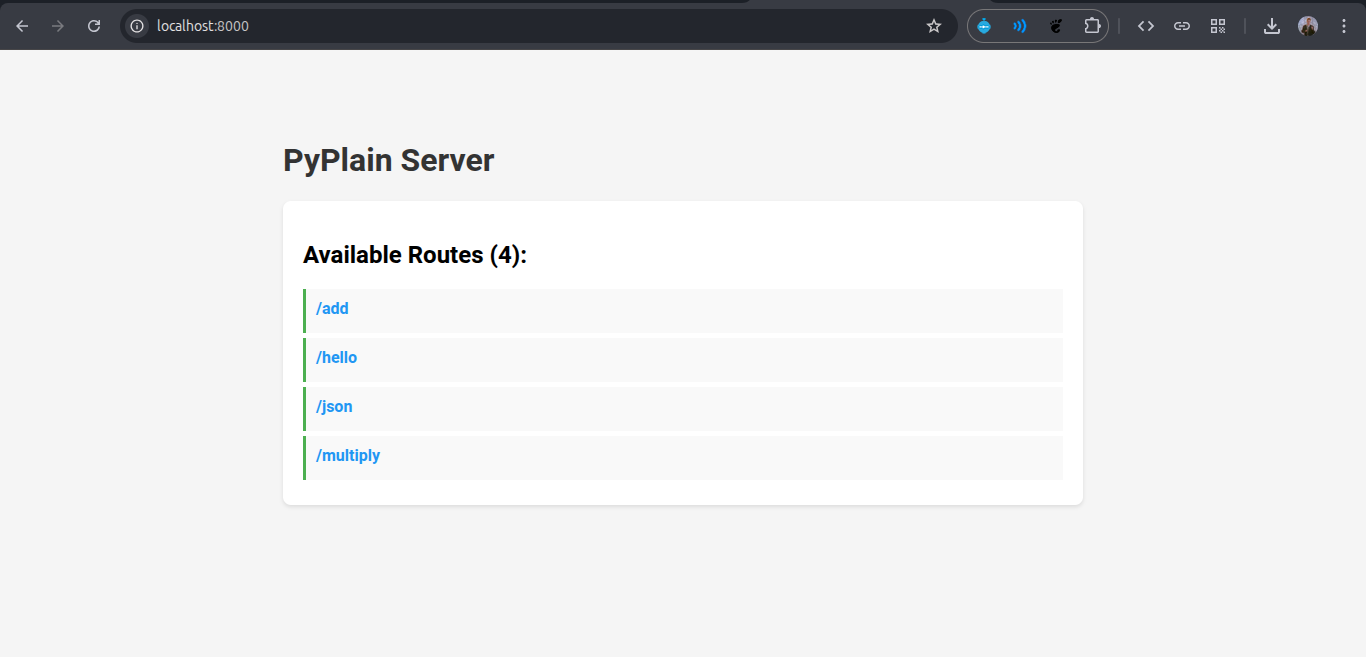
pythonfrom pyplain import PyPlainServer server = PyPlainServer() @server.route("/hello") def hello(): return "Hello, World!" @server.route("/calculate") def calculate(): return "Result: 42"
2. HTTP Method Support
PyPlain handles both GET and POST requests with automatic parsing of query parameters and form data:
python@server.route("/api/process") def process_data(req): # Access query parameters param1 = req['query'].get('param1') # Access POST data post_value = req['post'].get('input_field') # Combined params (query + POST) all_params = req['params'] return {"status": "success", "data": all_params}
3. Dynamic Route Loading
Routes can be organized in separate files within a routes/ directory and automatically loaded:
textpyplain/ ├── routes/ │ ├── __init__.py │ ├── api.py # API endpoints │ └── pages.py # Page routes
The framework automatically discovers and imports these route files, promoting code organization and modularity.
4. Type Safety
Comprehensive type hints throughout the codebase enable better IDE support and static type checking:
pythonfrom typing import Callable, Dict, Tuple def _handle_request( self, path: str, method: str = "GET", query_string: str = "", post_data: bytes = b"" ) -> Tuple[int, bytes, str]: # Implementation
5. Built-in HTML Generation
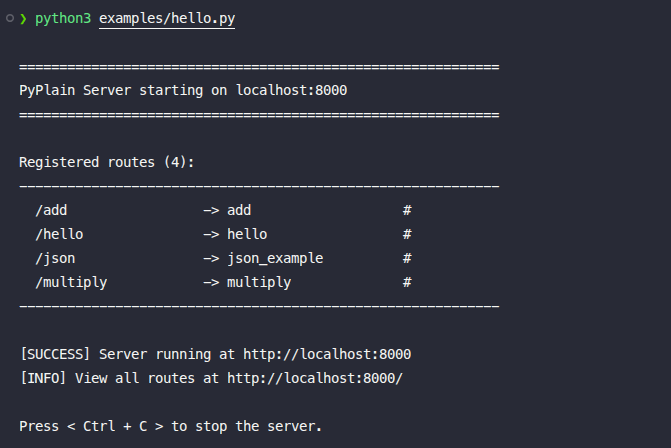
The framework includes utilities for generating HTML responses, including an automatic index page that lists all registered routes:
python# Automatic index page at root path (/) # Displays all registered routes with descriptions
Code Examples
Basic Server Setup
pythonfrom pyplain import PyPlainServer # Initialize server server = PyPlainServer(host="localhost", port=8000) # Define routes @server.route("/") def index(): return "<h1>Welcome to PyPlain</h1>" @server.route("/api/status") def status(): return {"status": "online", "version": "1.0"} # Start server if __name__ == "__main__": server.run()
Form Processing Example
python@server.route("/submit") def handle_form(req): # Extract form data from POST request name = req['post'].get('name', '') email = req['post'].get('email', '') # Process data result = f"Received: {name} ({email})" # Return HTML response return f""" <html> <body> <h1>Form Submitted</h1> <p>{result}</p> </body> </html> """
Calculation Service Example
python@server.route("/calculate") def calculate(req): try: # Get parameters a = float(req['params'].get('a', 0)) b = float(req['params'].get('b', 0)) op = req['params'].get('operation', 'add') # Perform calculation if op == 'add': result = a + b elif op == 'multiply': result = a * b # ... more operations return {"result": result, "operation": op} except ValueError as e: return {"error": str(e)}, 400
Advanced: Request Context Usage
python@server.route("/api/user") def get_user(req): # Access request metadata method = req['method'] # GET, POST, etc. path = req['path'] # /api/user # Access parameters user_id = req['params'].get('id') # Return JSON response return { "user_id": user_id, "method": method, "path": path }
Technical Highlights
Request Processing Pipeline
- Request Reception: HTTP server receives incoming request
- Path Parsing: Extract URL path and query string
- Method Detection: Identify HTTP method (GET/POST)
- Data Parsing: Parse query parameters and POST body
- Context Creation: Build request context dictionary
- Route Matching: Match path to registered route handler
- Handler Execution: Invoke handler with appropriate parameters
- Response Formatting: Convert handler return value to HTTP response
- Content Type Detection: Automatically set appropriate Content-Type header
Response Type Handling
The framework intelligently handles different return types:
- Strings: Returned as HTML (text/html)
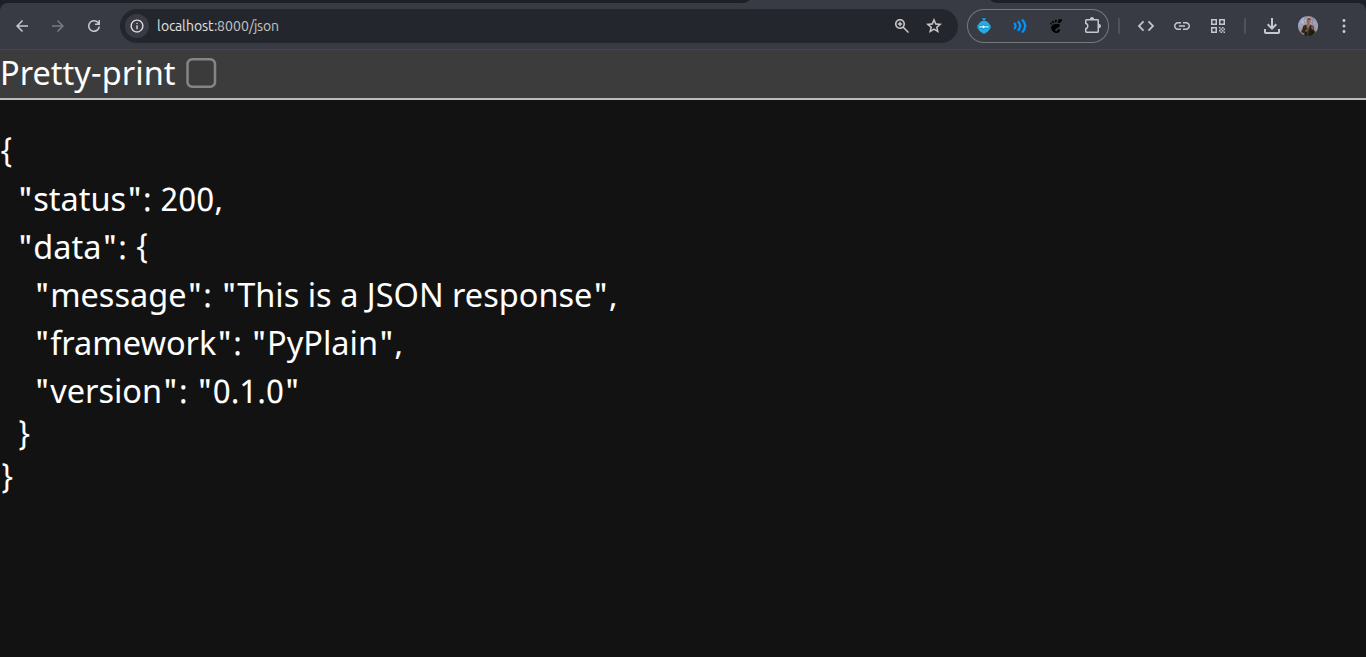
- Dictionaries: Serialized to JSON (application/json)
- Numbers: Converted to plain text (text/plain)
- Error Responses: Proper HTTP status codes (404, 500, etc.)
Error Handling
Comprehensive error handling ensures the server remains stable:
pythontry: handler = self.routes[path] result = handler(self._request_context) except Exception as e: error_msg = f"500 Internal Server Error: {str(e)}" return 500, error_msg.encode('utf-8'), 'text/plain'
What Makes PyPlain Stand Out
1. Educational Value
The entire framework is readable and understandable. Developers can learn HTTP server fundamentals by studying the implementation, making it an excellent teaching tool.
2. Zero Configuration
No configuration files, no environment variables, no complex setup. Just import and use:
pythonfrom pyplain import PyPlainServer server = PyPlainServer() server.run()
3. Production-Ready Foundation
While minimal, the framework provides a solid foundation that can be extended for production use. The architecture supports integration with:
- WSGI servers (Gunicorn, uWSGI)
- Reverse proxies (Nginx)
- Database libraries
- Authentication systems
4. Performance Characteristics
By using Python's built-in http.server and avoiding framework overhead, PyPlain offers:
- Low memory footprint
- Fast startup time
- Minimal latency for simple operations
5. Extensibility
The modular design allows easy extension:
python# Custom middleware example class PyPlainServer: def __init__(self): self.middleware = [] def use(self, middleware_func): self.middleware.append(middleware_func)
Use Cases
PyPlain excels in scenarios such as:
- API Prototyping: Rapidly build and test API endpoints
- Calculation Services: Server-side computation without database overhead
- Educational Projects: Teaching web development fundamentals
- Microservices: Lightweight services with minimal dependencies
- Internal Tools: Simple web interfaces for internal processes
- IoT Applications: Resource-constrained environments requiring minimal frameworks
Project Structure
textPyPlain/ ├── pyplain/ │ ├── __init__.py # Package exports │ ├── server.py # Core server implementation (350 lines) │ ├── config.py # Configuration management │ ├── routes/ # Route organization directory │ │ └── __init__.py │ └── utils/ # Utility functions │ └── __init__.py ├── examples/ │ ├── hello.py # Basic usage example │ └── testWeb.py # Full-featured web application ├── tests/ │ └── test_server.py # Unit test suite ├── pyproject.toml # Package metadata └── README.md # Documentation
Testing and Quality Assurance
The framework includes a comprehensive test suite covering:
- Route registration functionality
- Multiple route handling
- Server configuration
- Request processing
- Error handling
Tests can be run with:
bashpython tests/test_server.py
Future Enhancements
Potential areas for extension include:
- WebSocket support for real-time applications
- Template engine integration
- Session management
- File upload handling
- Middleware system for cross-cutting concerns
- RESTful routing conventions
- Automatic API documentation generation
Conclusion
PyPlain demonstrates that powerful web frameworks need not be complex. By focusing on essential functionality and maintaining a clean, readable codebase, PyPlain provides developers with a tool that is both immediately useful and educational. The framework's minimalism is its greatest strength, enabling rapid development while remaining transparent and understandable.
The project showcases strong software engineering principles: clean architecture, comprehensive type hints, thorough documentation, and thoughtful design decisions that balance simplicity with functionality. It serves as both a practical tool and a demonstration of how minimalism in software design can lead to elegant solutions.
Technical Specifications
- Language: Python 3.14+
- Dependencies: None (standard library only)
- License: MIT
- Architecture: Object-oriented, decorator-based routing
- HTTP Support: GET, POST methods
- Response Formats: HTML, JSON, Plain Text
- Type Safety: Full type hints throughout
PyPlain represents a minimalist approach to web framework design, proving that simplicity and functionality can coexist in software engineering.