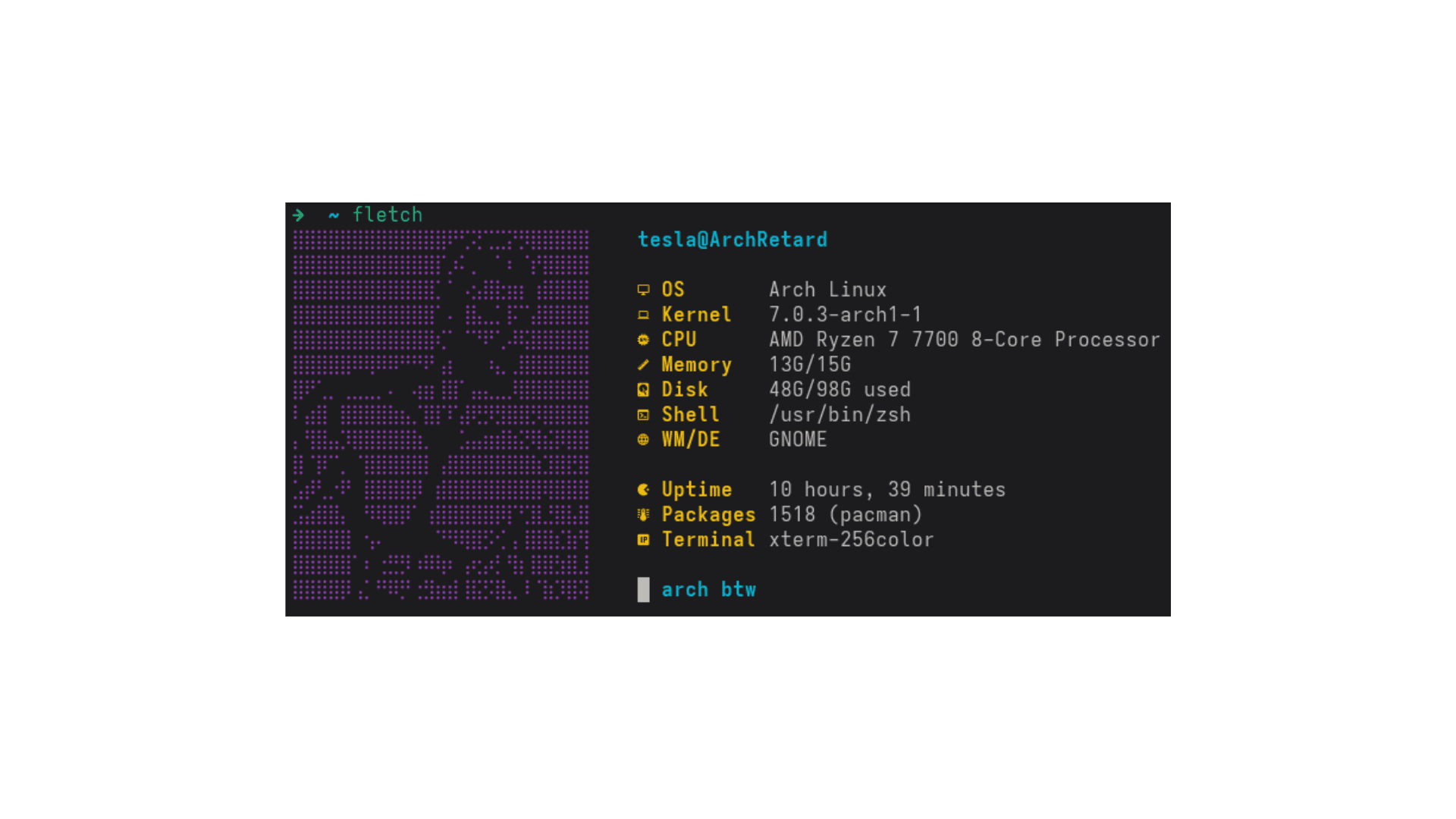
Fletch
LightFetch (fletch) 🐧
⚠️ Under Development - This project is actively being developed. Features may change and new functionality is being added regularly.
A customizable system information fetch tool, inspired by neofetch but designed to be simple, fast, and highly configurable.
Features
- Multiple ASCII art options - Choose from built-in art or use your own
- Configurable themes - Beautiful color schemes (default, nord, dracula, gruvbox)
- Flexible configuration - Hide/show specific information sections
- CLI options - Override settings from command line
- Multi-distro support - Works with different package managers
- Lightweight - Pure bash with minimal dependencies
Installation
bashgit clone https://github.com/tesla1618/fletch.git cd fletch chmod +x install.sh ./install.sh
Usage
Basic Usage
bashfletch # Default output fletch --help # Show help fletch --version # Show version
ASCII Art Options
bashfletch -a arch # Arch Linux logo (default) fletch -a tux # Tux penguin fletch -a minimal # Minimal design fletch -a classic # Classic Linux logo fletch -a simple # Simple face fletch -a retro # Retro style fletch -a /path/to/art # Custom ASCII art file
Theme Options
bashfletch -t default # Default theme fletch -t nord # Nord color scheme fletch -t dracula # Dracula theme fletch -t gruvbox # Gruvbox theme
Advanced Options
bashfletch --no-color # Disable colors fletch --list-ascii # List available ASCII arts fletch --list-themes # List available themes fletch -c custom.conf # Use custom config file
Combining Options
bashfletch -a tux -t nord # Tux with Nord theme fletch -a minimal -t gruvbox # Minimal art with Gruvbox theme fletch --no-color -a simple # Simple art without colors
Configuration
Fletch creates a configuration file at
~/.config/fletch/fletch.confConfig File Options
bash# ASCII Art Selection ASCII_ART="gigachad" # arch, tux, minimal, classic, simple, retro, or file path # Theme Selection THEME="default" # default, nord, dracula, gruvbox # Color Control COLOR="true" # Enable/disable colors # Information Display SHOW_OS="true" # Show OS information SHOW_KERNEL="true" # Show kernel version SHOW_CPU="true" # Show CPU information SHOW_MEMORY="true" # Show memory usage SHOW_DISK="true" # Show disk usage SHOW_SHELL="true" # Show shell SHOW_WM="true" # Show window manager/DE SHOW_UPTIME="true" # Show uptime SHOW_PACKAGES="true" # Show package count SHOW_TERMINAL="true" # Show terminal # Customization CUSTOM_HOSTNAME="" # Override hostname PKG_MANAGER="pacman" # Package manager (pacman, apt, dnf, yum, zypper) SEPARATOR=" " # Separator between ASCII and info
Custom ASCII Art
You can create your own ASCII art files:
- Create a text file with your ASCII art
- Use it with: fletch -a /path/to/your/art.txt
- Or place it in ~/.config/fletch/ascii/ and use: fletch -a yourart
Custom Themes
Create custom themes by copying an existing theme file from themes/ to ~/.config/fletch/themes/ and modifying the colors:
bash# Custom Theme Configuration TITLE_COLOR='\e[1m\e[96m' # Bold cyan LABEL_COLOR='\e[1m\e[94m' # Bold blue VALUE_COLOR='\e[97m' # White ASCII_COLOR='\e[96m' # Cyan USER_COLOR='\e[1m\e[96m' # Bold cyan HOST_COLOR='\e[1m\e[96m' # Bold cyan SEPARATOR_COLOR='\e[94m' # Blue ACCENT_COLOR='\e[31m\e[93m\e[92m\e[96m\e[95m\e[94m\e[97m' # Rainbow
Available ASCII Arts
- arch - Arch Linux logo (default)
- tux - Classic Tux penguin
- minimal - Clean minimal design
- classic - Traditional Linux logo
- simple - Simple smiley face
- retro - Retro computer style
Available Themes
- default - Classic colorful theme
- nord - Nord color scheme (blues and whites)
- dracula - Dracula theme (purples and reds)
- gruvbox - Gruvbox theme (warm earth tones)
Uninstallation
bash./uninstall.sh
This removes the main executable and data files. User config files are preserved and can be manually removed with:
bashrm -rf ~/.config/fletch/
Requirements
- Bash 4.0+
- Standard Unix utilities (uname, free, df, etc.)
- Nerd Font (optional, for icons)
License
MIT License - Feel free to modify and distribute!
Contributing
Contributions are welcome! This project is under active development and we'd love your help making it better.
Pull requests welcome! Please feel free to add new ASCII art, themes, or features.
How to Contribute
- Add new ASCII art designs
- Create new color themes
- Add support for new distributions
- Report bugs or suggest features
- Improve documentation
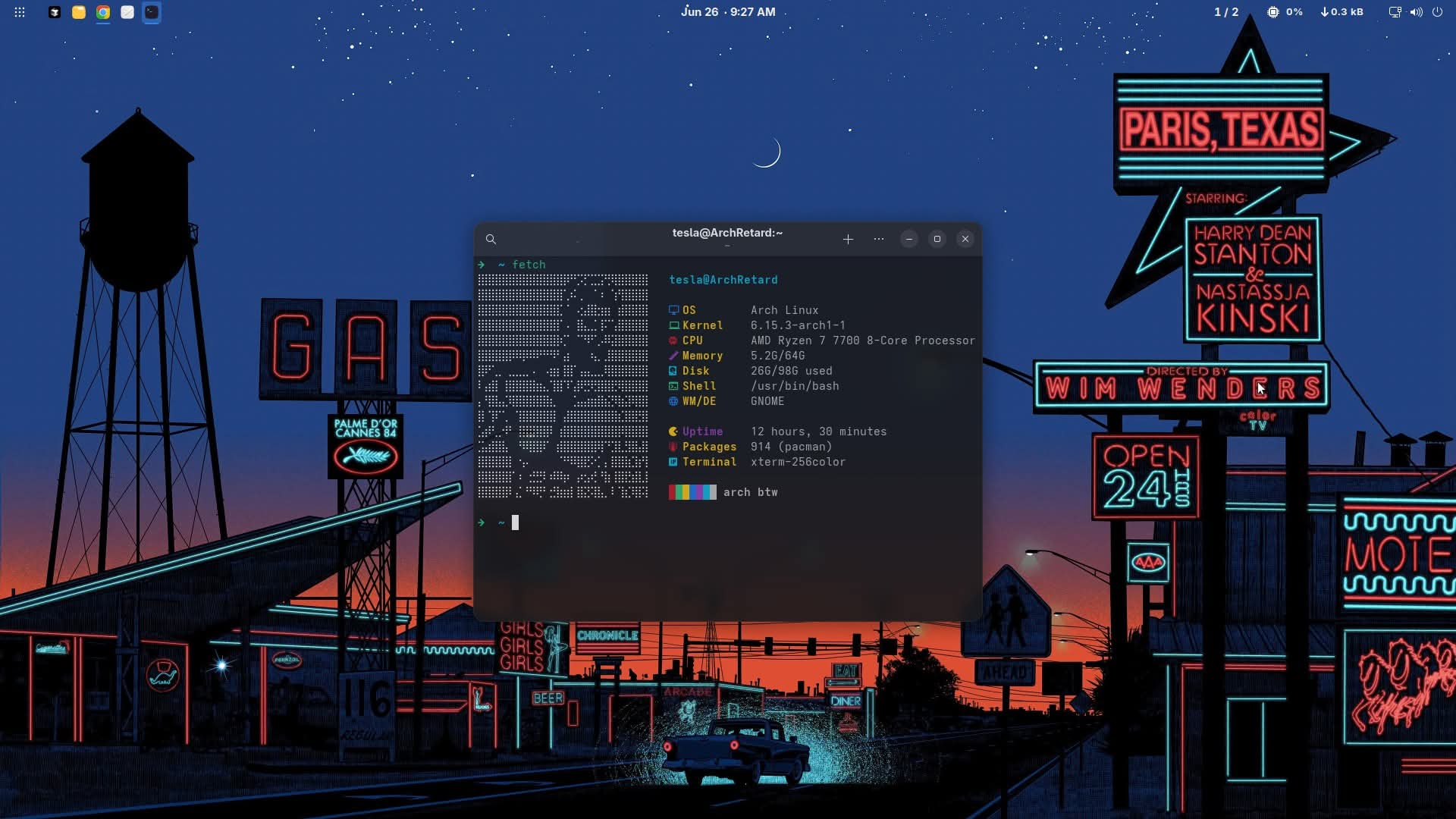
Made with ❤️ for the terminal enthusiasts